
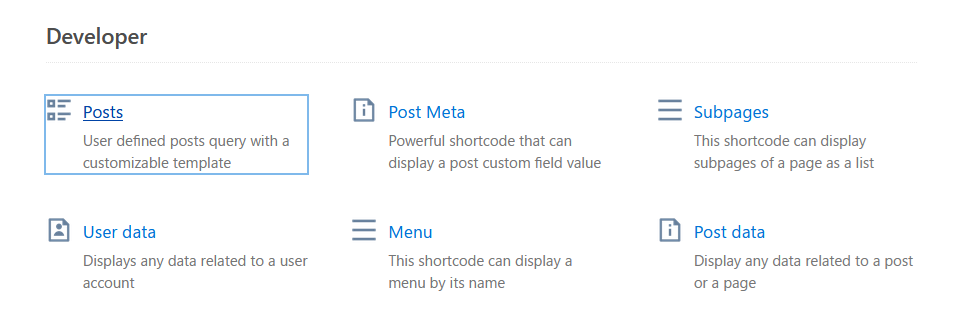
はじめに
『Shortcodes』とは
WordPressのプラグインの1つ。
ショートコードを入力するだけで、記事の見栄えを良くすることが出来る。
表現手法が多く、初期だと51種、Shortcodes Ultimate Proだと更に15種が使用可能。
本記事の目的
「投稿記事の中に特定の記事を紹介したい」
しかし、検索して見つかるプラグインの殆どが「キーワードやタグに該当する記事を表示する」というものばかり。
「この記事1つだけを表示したい」というプラグインが中々見つからず、行き着いたのが本プラグインの方法。
その結果が下のような感じ。
導入方法
WordPressの管理画面にて、プラグインから当プラグインを追加。
追加後に管理画面から投稿にて、新規投稿。
ブロックを選択して右に表示される+ボタンの「ブロックを追加」を押す。
下の画像のように「ショートコード」が表示されればそれを押す。
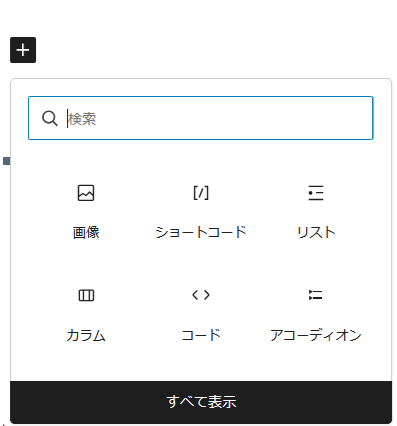
無ければ「すべて表示」を押して、下の画像のように表示される中から探して押す。
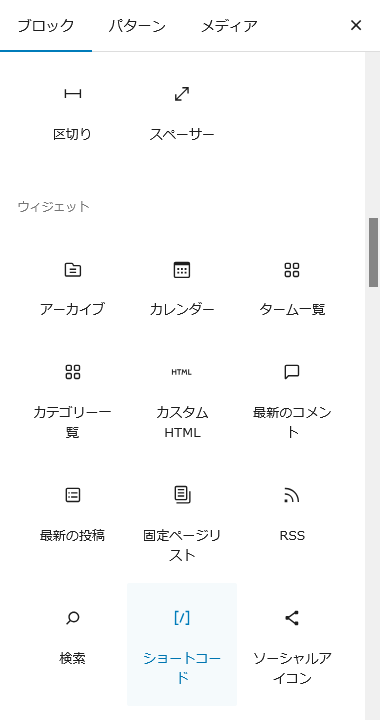
下の画像のように表示されるのでショートコードを入力する。

使用方法(投稿)
基本の形は、
[su_posts]su_postsがコマンド名で必須として、以下はすべてオプションであって自由。
記述例は下のように記述。
[su_posts template="templates/teaser-loop.php" post_type="docs" taxonomy="docs_category" tax_term="shortcodes" posts_per_page="4" orderby="rand"]本サイトで利用してるのは下のように記述。
[su_posts template="su-posts-templates/my-template.php" id=1234]idに入力しているのは、WordPressの管理画面の「投稿一覧」にあるID。
templateは、表示のデザインを整えるため。
一応、templateの説明。
my-template.php
<?php if ( $posts->have_posts() ) : ?>
  <div class="su-posts su-posts-my-template">
    <?php while ( $posts->have_posts() ) : ?>
      <?php $posts->the_post(); ?>
      <div class="su-posts-content">
      <a href="<?php the_permalink(); ?>">
        <img width="320" src="<?php echo get_the_post_thumbnail_url(); ?>" class="su-posts-image" />
        <span class="su-posts-title"><?php the_title(); ?></span>
      </a>
      </div>
    <?php endwhile; ?>
  </div>
<?php else : ?>
  <p>Posts not found!</p>
<?php endif; ?>
上の内容を保存したファイルを下の画像にあるようにテーマ内に保存する必要有り。
本サイトは、子テーマの中に「su-posts-templates」フォルダを作成しその中に保存。
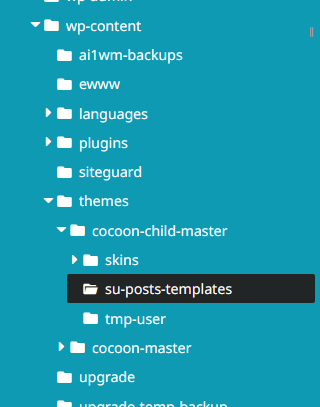
もし、テーマのディレクトリの外に保存する場合は、下のように追記する必要有り。
functions.php
add_filter(
	'su/shortcode/posts/allowed_template_locations',
	function( $locations ) {
		// /wp-content/
		$locations[] = WP_CONTENT_DIR;
		return $locations;
	},
	10,
	1
);
詳しくは英語表記となるが、下記参照。
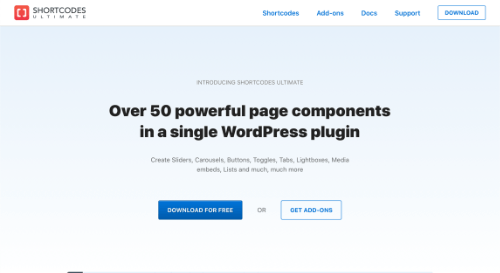
Shortcodes Ultimate
A comprehensive collection of Visual Components for WordPress
getshortcodes.com
コメント